How to Fix Error 15 on Pokémon Center Complete Step-by-Step Guide (2024)
LogCure Editorial Team
Last updated: June 01, 2026 · logcure.com
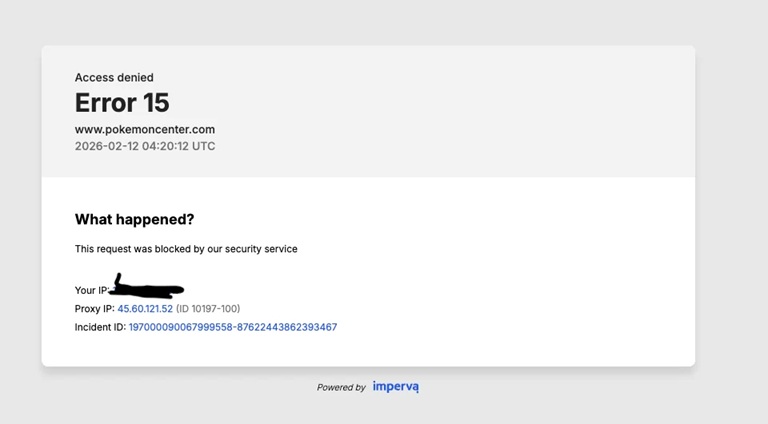
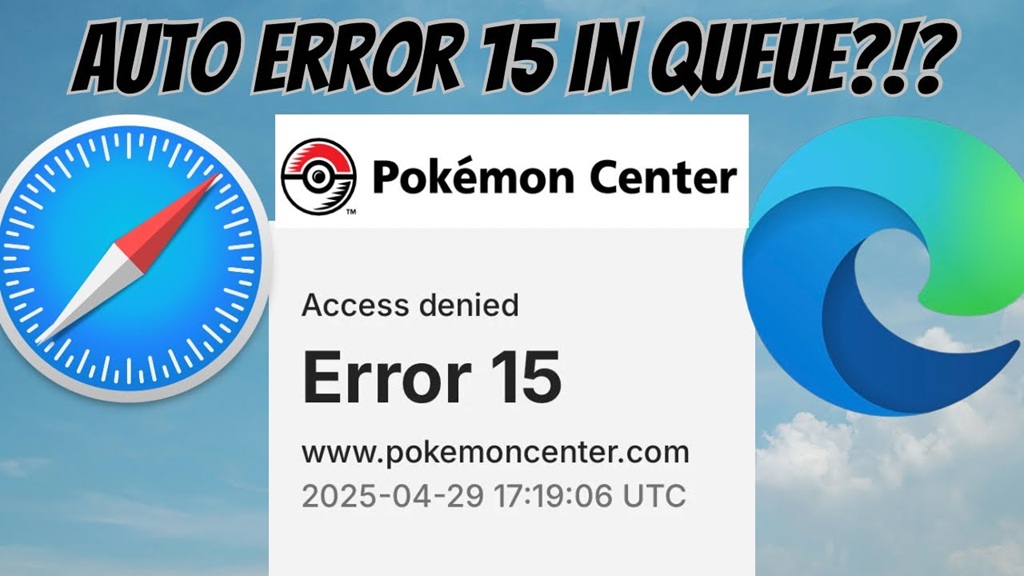 Pokémon Center Error 15
What Is Pokémon Center Error 15 and Why Does It Happen?
Error 15 on Pokémon Center is an access or authentication error that prevents you from loading pages, completing checkout, or logging in. It is typically caused by a server-side outage, a corrupted browser cache, an expired session token, or an IP address blocked due to VPN or proxy use.
Quick Diagnostic: Pokémon Center Error 15 at a Glance
Use this table to instantly identify the most likely cause of your error before diving into the fixes.
| Symptom You're Seeing | Likely Cause | Difficulty | Go to Fix |
|---|---|---|---|
| Error 15 on all browsers & devices | Server-side outage | Easy | Fix #1 |
| Error 15 only on one browser | Corrupt cache / cookies | Easy | Fix #2 |
| Using a VPN or proxy right now | IP blocked by geo-filter | Easy | Fix #3 |
| Error 15 after trying to log in | Corrupted session token | Medium | Fix #6 |
| Site loads in another network (mobile data) | DNS / ISP issue | Medium | Fix #5 |
| Nothing above works | Account-level restriction | Hard | Fix #7 |
How to Fix Pokémon Center Error 15: 7 Proven Methods
Start from Fix #1 (fastest) and work your way down. Most users are back online by Fix #3.
Check Pokémon Center Server Status
⚡ Do This First — Takes 30 SecondsBefore touching your device, confirm whether Pokémon Center's servers are down. If the site is having a global outage, no local fix will help — you just need to wait.
Steps:
- Go to
downdetector.com/status/pokemon-center - Check the spike graph — a large spike = server outage
- Visit Pokémon Center's official Twitter / X account for announcements
- If a server issue is confirmed, wait 30–60 minutes and retry
 🖼 Screenshot: Downdetector showing Pokémon Center outage spike
Clear Your Browser Cache and Cookies
🔧 Most Common FixStale or corrupted cache files force Pokémon Center to serve outdated session data, which triggers Error 15. Clearing this resets your local data.
🌐 Chrome / Edge
- Press
Ctrl + Shift + Delete - Set time range to All time
- Check Cookies + Cached files
- Click Clear data
- Reload pokemoncenter.com
🦊 Firefox
- Press
Ctrl + Shift + Delete - Set time range to Everything
- Check Cookies + Cache
- Click OK
- Reload pokemoncenter.com
🍎 Safari (Mac)
- Go to Safari → Settings
- Click the Privacy tab
- Click Manage Website Data
- Search "pokemon" → Remove All
- Also: Develop → Empty Caches
📱 Mobile (iOS / Android)
- Open Settings → Apps → Browser
- Tap Storage
- Tap Clear Cache & Clear Data
- Reopen the browser
- Try pokemoncenter.com again
Disable Your VPN, Proxy, or Firewall
⚡ Quick Win for VPN UsersPokémon Center uses Cloudflare and advanced bot-protection that automatically blocks many VPN, proxy, and Tor exit-node IP addresses. If you're using any of these, disable them first.
| Tool | How to Disable | Re-enable After? |
|---|---|---|
| VPN App (NordVPN, ExpressVPN, etc.) | Open app → Disconnect or Toggle Off | ✅ Yes, after shopping |
| Browser Proxy Extension | Extensions menu → Toggle off proxy extension | ✅ Yes |
| Windows Firewall | Control Panel → Windows Defender Firewall → Turn off (temporarily) | ⚠️ Re-enable immediately |
| Corporate / School Network Proxy | Use mobile hotspot instead | ✅ Yes |
Try a Different Browser or Incognito Mode
🔍 Isolate the ProblemA browser extension (like an ad blocker or privacy tool) or outdated browser version can conflict with Pokémon Center's security scripts and generate Error 15.
Test with Incognito / Private Mode first:
- 🔹 Chrome / Edge:
Ctrl + Shift + N - 🔹 Firefox:
Ctrl + Shift + P - 🔹 Safari:
Cmd + Shift + N
If it works in incognito → a browser extension is the culprit. Disable extensions one by one to identify it. If it still fails → try a completely different browser.
Flush Your DNS Cache
🔧 For DNS / ISP IssuesAn outdated DNS cache can route your browser to an old or incorrect Pokémon Center server IP, causing access errors. Flushing it forces your device to re-query the latest DNS records.
# Windows (run as Admin)
ipconfig /flushdns
# Then press Enter
# macOS (Terminal)
sudo dscacheutil -flushcache;
sudo killall -HUP mDNSResponder
💡 Pro tip: Also try switching your DNS to Google (8.8.8.8) or Cloudflare (1.1.1.1) for a more permanent solution.
Sign Out and Sign Back Into Your Account
🔑 Session ResetA corrupted session token — the small encrypted string that keeps you logged in — can cause Error 15 specifically when accessing account-restricted pages like checkout or order history.
- ① Click your account icon on pokemoncenter.com and select Sign Out
- ② Clear cookies specifically for pokemoncenter.com (see Fix #2)
- ③ Wait 2 minutes, then sign back in
- ④ If you get a password error, use Forgot Password to reset
- ⑤ Navigate to the page that was giving Error 15
⚠️ Note: If you have 2-factor authentication enabled, have your authenticator app or SMS code ready before signing back in.
Contact Pokémon Center Customer Support
🚨 Last ResortIf all 6 fixes above have failed, your account may have a flag or restriction applied on Pokémon Center's end — something only their support team can resolve.
What to include in your support message:
- Your Pokémon Center account email
- A screenshot of the Error 15 message
- The exact URL you were on when the error appeared
- Browser name & version
- List of fixes you already tried
How to Verify the Fix Worked
Once you've applied one of the fixes above, follow these steps to confirm Error 15 is fully resolved and won't come back immediately.
Step 1 — Load the Homepage
Visit pokemoncenter.com directly. If it loads without an error page, you're on the right track.
Step 2 — Navigate to a Product
Click into any product page. If it loads correctly and shows pricing, your session and access are working.
Step 3 — Log In and Access Account
Sign into your account and navigate to Order History. If it opens without Error 15, the issue is completely resolved.
| Verification Test | Expected Result | If Still Failing |
|---|---|---|
| Homepage loads | ✅ Pokémon Center homepage visible | Check server status again (Fix #1) |
| Product page loads | ✅ Product with price visible | Clear cache again (Fix #2) |
| Login works | ✅ Redirects to account dashboard | Reset session (Fix #6) |
| Checkout completes | ✅ Order confirmation page shown | Contact Support (Fix #7) |
🎉 Fixed? Great — Here's How to Prevent Error 15 in Future
- 🔹 Clear your browser cache once a month as routine maintenance
- 🔹 Keep your browser updated to the latest version
- 🔹 Whitelist pokemoncenter.com in your VPN's split-tunneling settings
- 🔹 Use a stable, consistent IP address when shopping (avoid switching networks mid-session)
- 🔹 Bookmark and use the direct URL:
https://www.pokemoncenter.com
Frequently Asked Questions About Pokémon Center Error 15
What causes Error 15 on Pokémon Center? ›
Is Pokémon Center Error 15 a server problem or my problem? ›
How long does Pokémon Center Error 15 last? ›
Does clearing cache fix Pokémon Center Error 15? ›
Can a VPN cause Error 15 on Pokémon Center? ›
Still Stuck on Error 15?
If none of the above fixes worked for you, drop a comment below or visit our full Error Code library at LogCure for more solutions.